
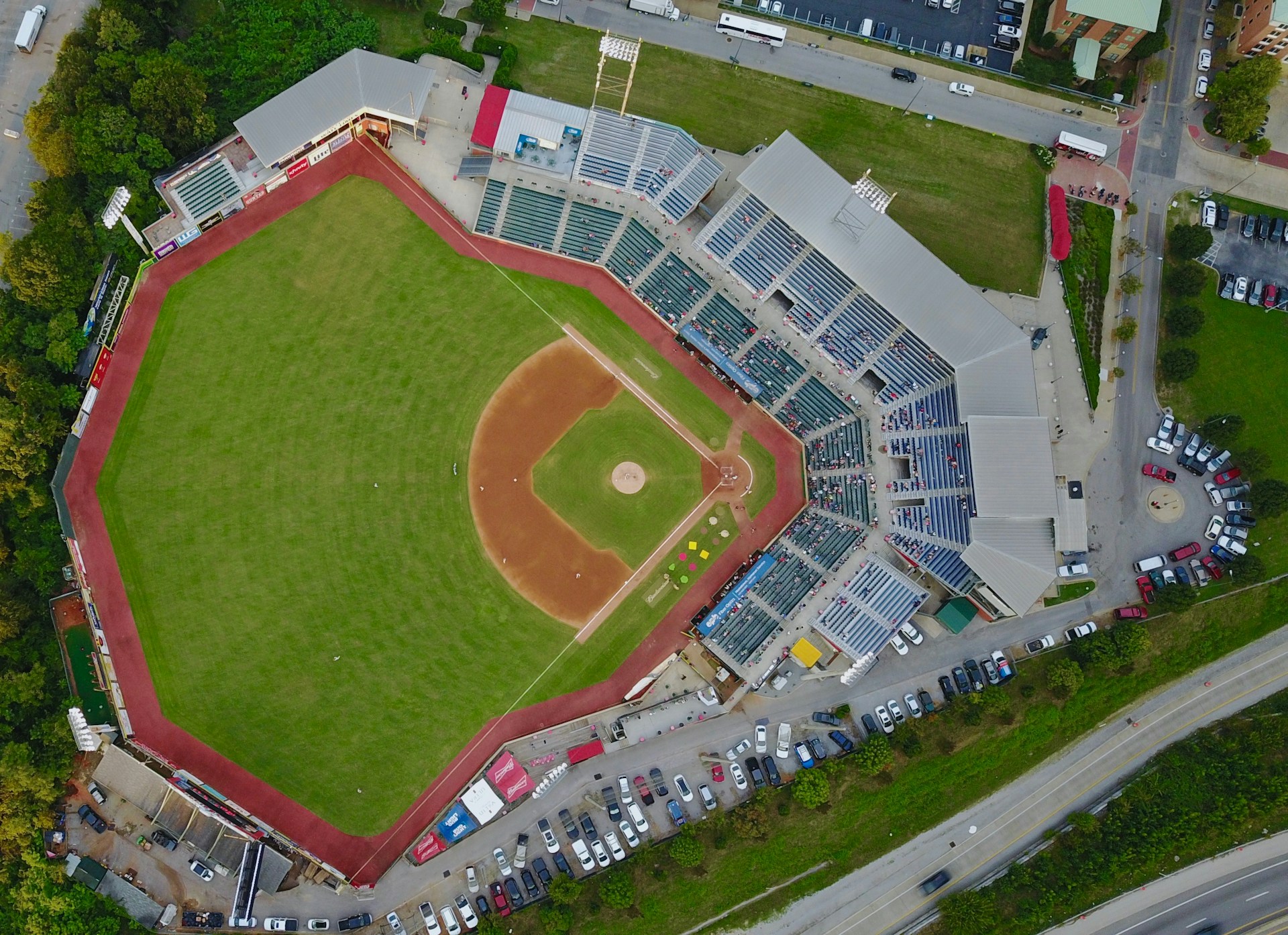
The only field-service platform purpose-built for sports turf.
Measure any field from satellite imagery. Track every field's lifecycle. Run your crews, cost your jobs, and close your books, in one system that actually understands what a sports field is.
Invite-only onboarding, we work with a select number of companies so every setup gets proper attention.
Measure any field from the sky. Quote it in minutes.
Search any sports field on a satellite map. Trace its outline. SportsFieldOps instantly returns the exact square footage, acreage, and perimeter, then compares it against regulation dimensions for soccer, football, baseball, softball, lacrosse, field hockey, tennis, and basketball. One click turns that measurement into a priced material takeoff. Another click sends it as a proposal.
Exact dimensions from satellite imagery, no tape measure, no site visit to estimate
Regulation comparison built in, FIFA, NFHS, Little League, NCAA templates included
Measurement to proposal in one click, auto-fills quantities from your price book
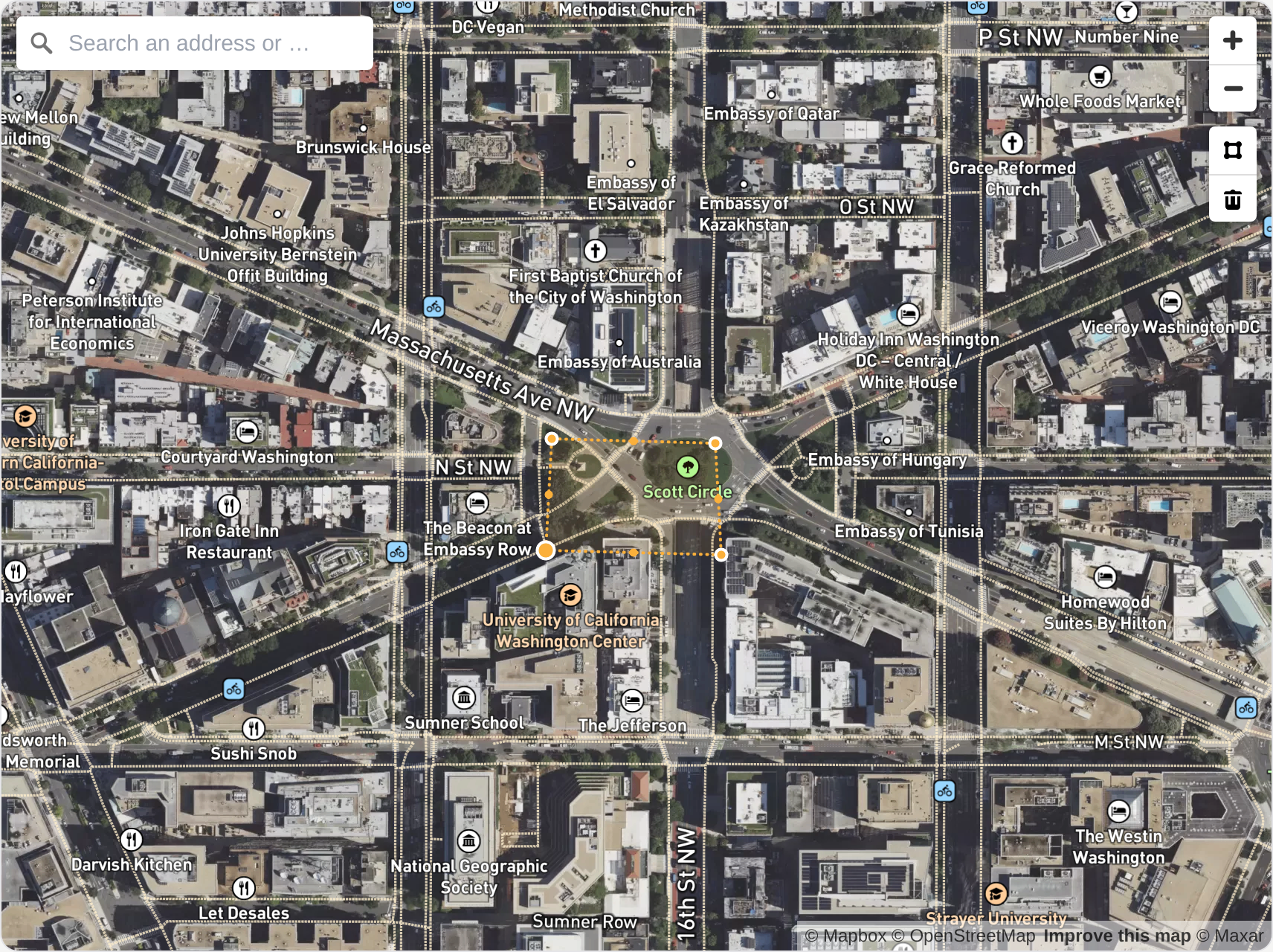
From a satellite measurement to a signed proposal — without leaving the app.
Watch how a field goes from a shape on the map to a priced, branded proposal your crew can build from — no spreadsheets, no re-keying.
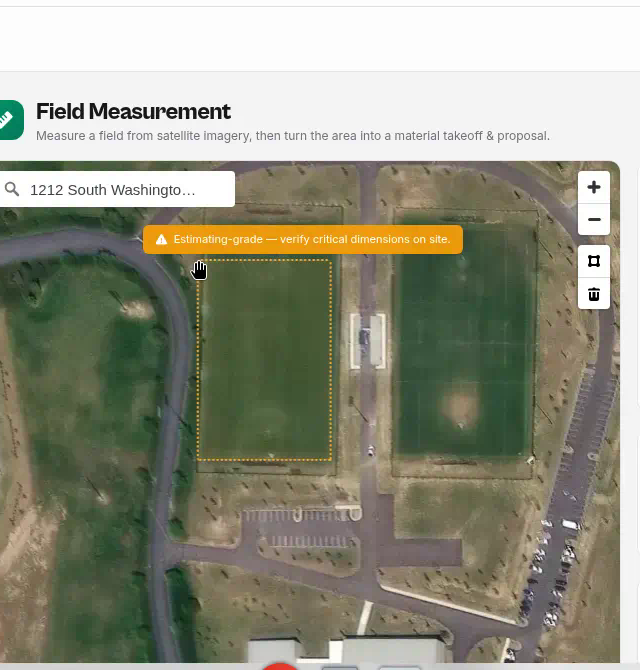
Measure the field from the sky
Search the address and trace the field on live satellite imagery. The app instantly calculates area, acres, and perimeter — and you can calibrate the scale against any known length, like a 100 ft fence, for a tighter estimate.
Measurements are estimating-grade — always verify critical dimensions on site before ordering material or committing to contract quantities.
Built for the companies that install, renovate, and maintain sports fields.
If your work happens on natural turf, synthetic turf, infields, or athletic facilities, SportsFieldOps is built around how you actually operate.
Designed for every athletic field, from Little League diamonds to professional stadiums.
You didn't start a sports field company to spend Sundays sorting through group texts and spreadsheets.
Growing sports field companies tend to break in the same places. Scattered information. Lost follow-ups. Work done but not documented. Invoices that don't match what actually happened in the field.
Scattered texts and group chats
Crew updates, schedule changes, and customer questions live across three group texts, a notebook, and your memory. By Friday, nobody is sure which field got finished.
Photos buried on different phones
Your foreman took clean before/after shots of the irrigation break. They are somewhere on his phone. The school facilities director is asking for them now.
Quotes that do not turn into clean work orders
A signed proposal is one thing. A crew showing up with the right scope, materials, and equipment is another. The handoff is where the details disappear.
Work completed but not billed properly
Change orders happen verbally. Extra hours never make the invoice. Months later, you are leaving real money on the table without realizing it.
Weather delays and shifting schedules
A rained-out Tuesday cascades into the rest of the week. Without a single system, every reschedule becomes a round of phone calls and missed details.
No clean job history by field or customer
When a school calls about last year's renovation, you should be able to pull the photos, scope, notes, and invoices in seconds, not search five tools.
SportsFieldOps gives you one place to see what was sold, what was scheduled, who is doing the work, what happened in the field, what needs billing, and where the profit is.
One system. Seven connected workflows.
From first satellite measurement to a paid invoice, each workflow talks to the next, so fewer details get missed.
Sales & Estimating
Leads, aerial measurement, proposals, signed contracts.
Field Lifecycle Records
Every field's permanent history. Turf type, dimensions, condition, and a full timeline of every job ever done.
Work Orders & Field Execution
Day plans, crew assignments, photos, sign-off, job P&L.
Dispatch, Crew & GPS
Month calendar, drag-and-drop scheduling, recurring maintenance, live crew map.
Equipment & Fleet
Asset registry, predictive maintenance, job costing, pre-trip inspections.
Invoicing & Reporting
Invoices that match the proposal line for line. AR aging, profitability by customer.
Construction CFO & WIP
WIP schedule for bonding & surety, committed costs, change orders. Professional plan and above.
Finally see what is happening across the business without chasing everyone.
SportsFieldOps gives owners and GMs a clear view of the work, the customers, and the money, without pulling reports out of three different tools or waiting until Friday.
- See job status without calling three people
- Track photos, notes, and field history in one place
- Turn approved proposals into cleaner work orders
- Spot work that is completed but not yet billed
- Field Lifecycle Records for every field your company touches, condition history, treatments, tests, renovations, all in one timeline
- Aerial Field Measurement, quote any field without a site visit, compare against regulation dimensions, turn the measurement into a proposal in one click
- Project Tracker, every job on one line, with stage, value, and gross margin
- Give schools, municipalities, and facility directors more professional updates
- Assign crews and jobs from one schedule
- Attach photos to the correct field and work order
- Record notes from the field on any phone
- Crew GPS Dispatch Map, four opt-in modes (off, site check-in, trip, or live), a coordination aid not a surveillance tool
- Month-grid scheduling calendar with drag-and-drop rescheduling, real-time across the team
- Automated recurring maintenance scheduling for contract accounts, set the cadence and the visits generate themselves
- Pre-visit prep checklist before every scheduled job so nothing gets forgotten on the way to site
- Keep job details out of text chains and voicemails
Give the field team one place to see what needs doing.
Operations managers, dispatchers, and crew leads get a single source of truth for the day, the week, and the season, built around how field work actually happens.
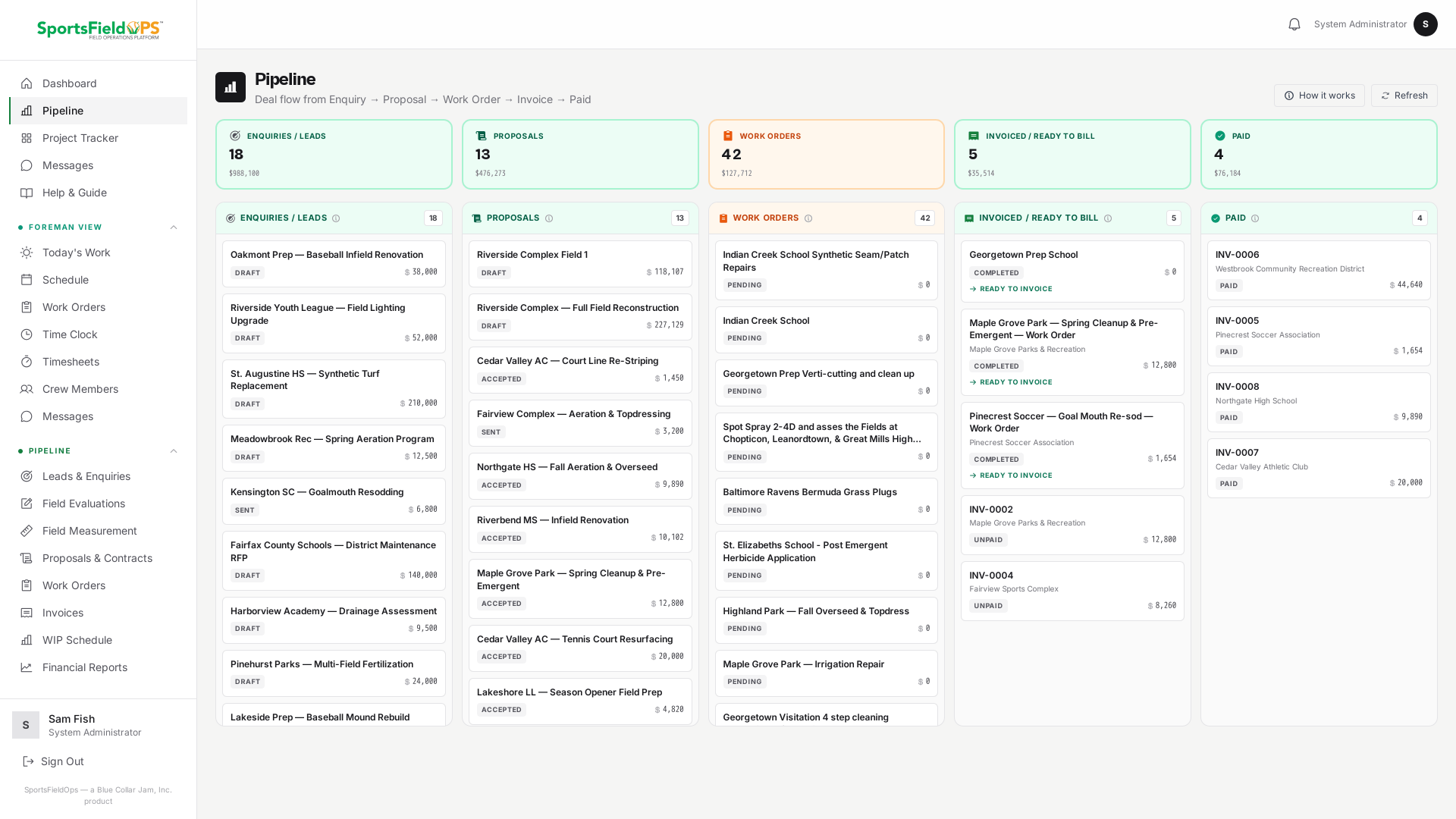
From first call to signed contract, without the spreadsheet.
SportsFieldOps handles the whole sales side: pipeline tracking, field evaluations, aerial measurement, itemised proposals, e-signature, and signed binding contracts with document locking. Your proposal becomes a contract. Your contract becomes a work order. You touch the data once.
Quote any field without leaving your desk.
Search the field on satellite imagery, trace the outline, and get exact square footage, acreage, and perimeter in seconds. The system compares your field against regulation dimensions, FIFA, NFHS, Little League, and more, and tells you how far over or under standard it is. Pick your price book and the material takeoff fills itself. One more click and it's a proposal.
- No tape measure, no site visit to produce an accurate estimate
- Regulation-size library for soccer, football, baseball, softball, lacrosse, field hockey, tennis, basketball
- Auto-generates a priced material takeoff from your price book
- One-click conversion to a proposal, ready to send
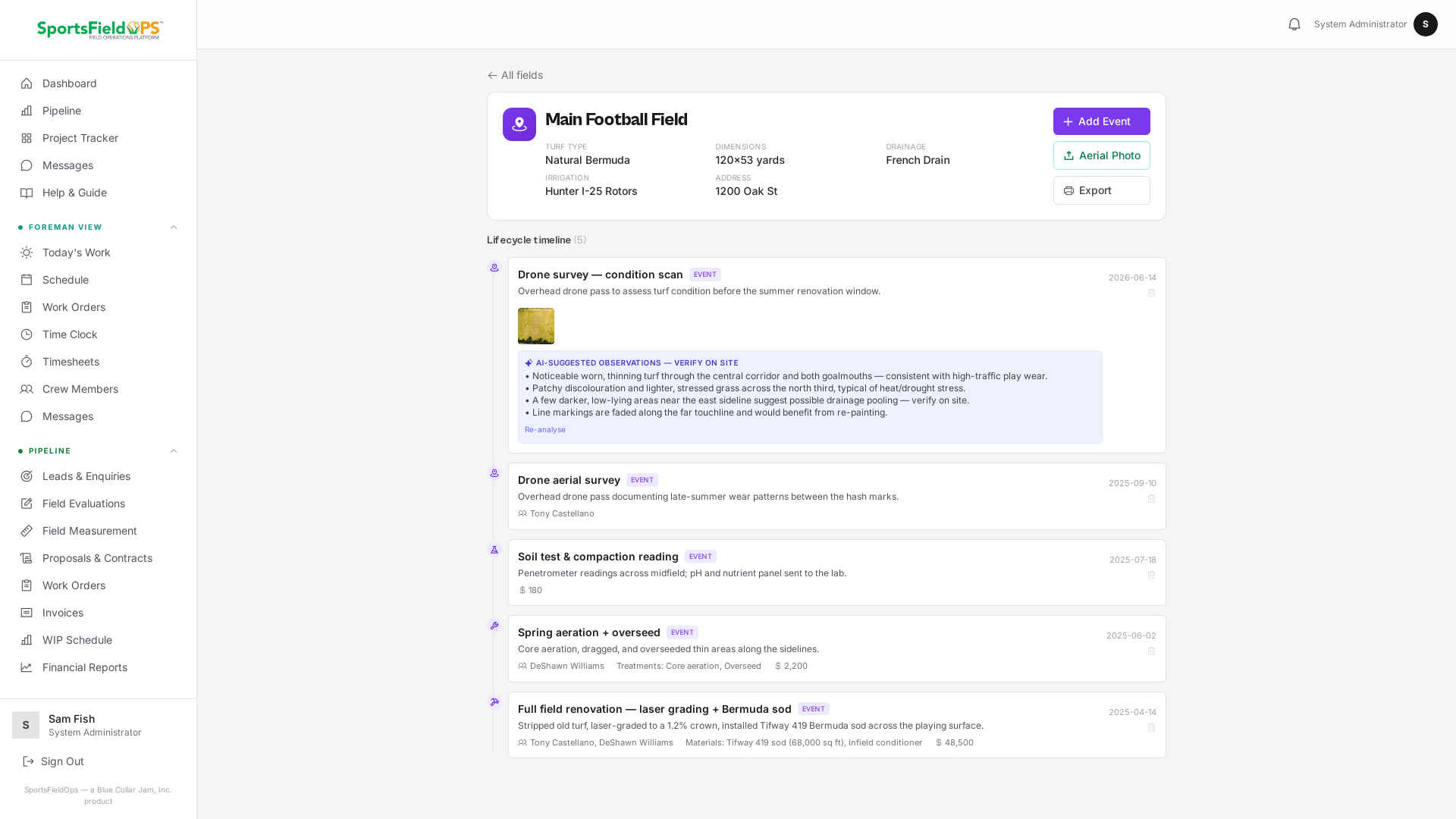
Every field you touch has a permanent record. Forever.
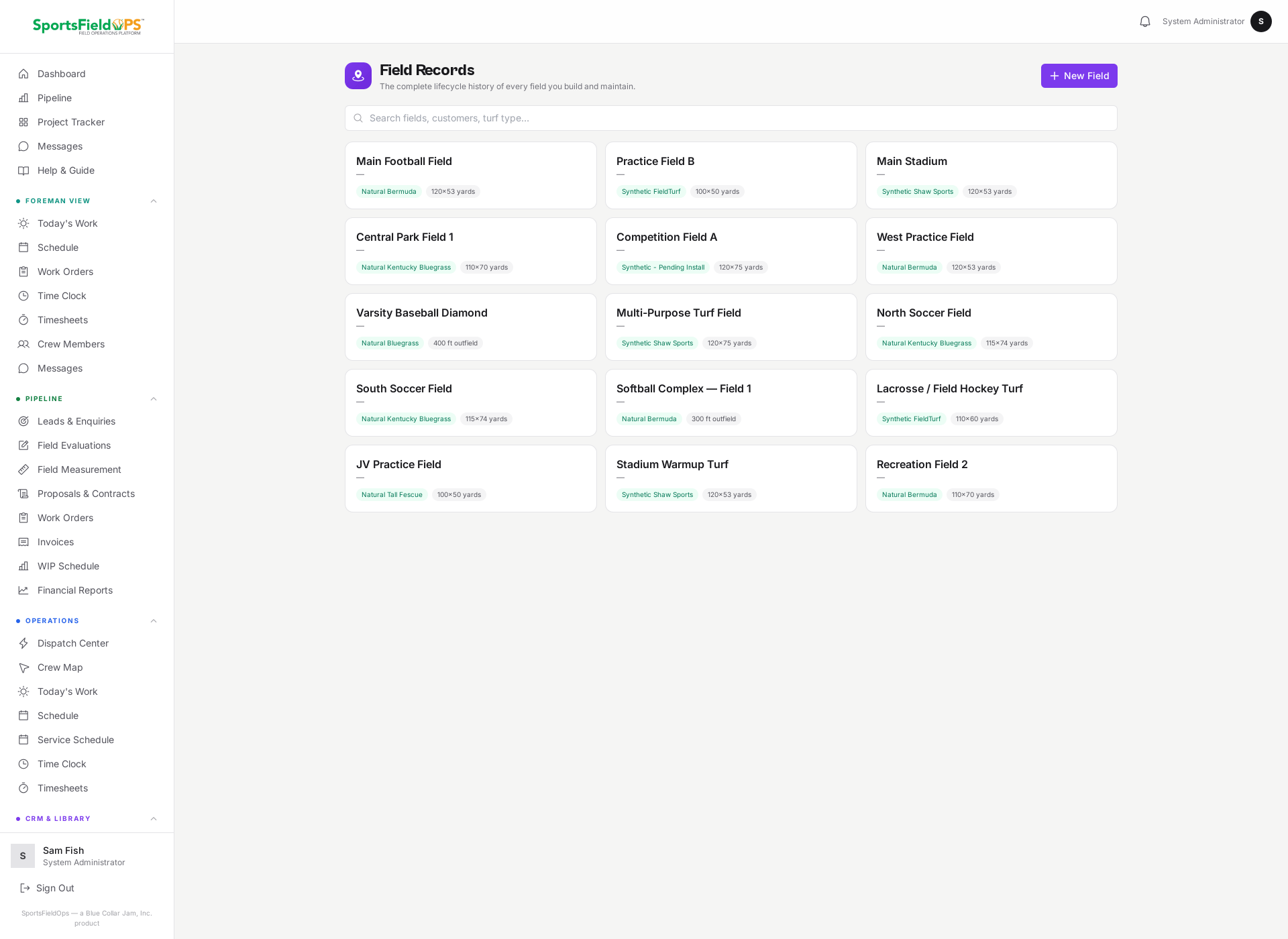
Every field, "Central Park Field 1", "Main Stadium", gets its own lifecycle record with turf type, dimensions, drainage, irrigation, and install date. Beneath that is a single merged timeline of everything that has ever happened to it: work orders performed, site evaluations, aerial surveys, treatments, test results, renovations, and notes. Staff add new events with crew, materials, cost, and results attached. Upload a drone photo and AI returns plain-English condition observations, bare patches, wear lines, discoloration, clearly labeled for on-site verification.
- Permanent per-field records across your entire portfolio
- Merged timeline: work orders, evaluations, surveys, treatments, tests, renovations, notes
- Drone and aerial photo upload with AI field-condition analysis
- The longer you use it, the harder you are to replace, this data is yours
Your competitors have a tape measure. You have satellite imagery and a 10-year field history.
No general field-service software has a concept of a "field" as a managed asset. SportsFieldOps does. Every field in your portfolio has a lifecycle record that compounds in value with every visit. By the time a competitor quotes the same renewal job, you have 10 years of treatments, tests, and condition notes they can't match. That's not a feature. That's a moat.
- Aerial measurement removes the manual estimate and the site visit
- Field Lifecycle Records make every renewal conversation easier to win
- AI condition analysis from drone photos means you know the field's health before you quote it
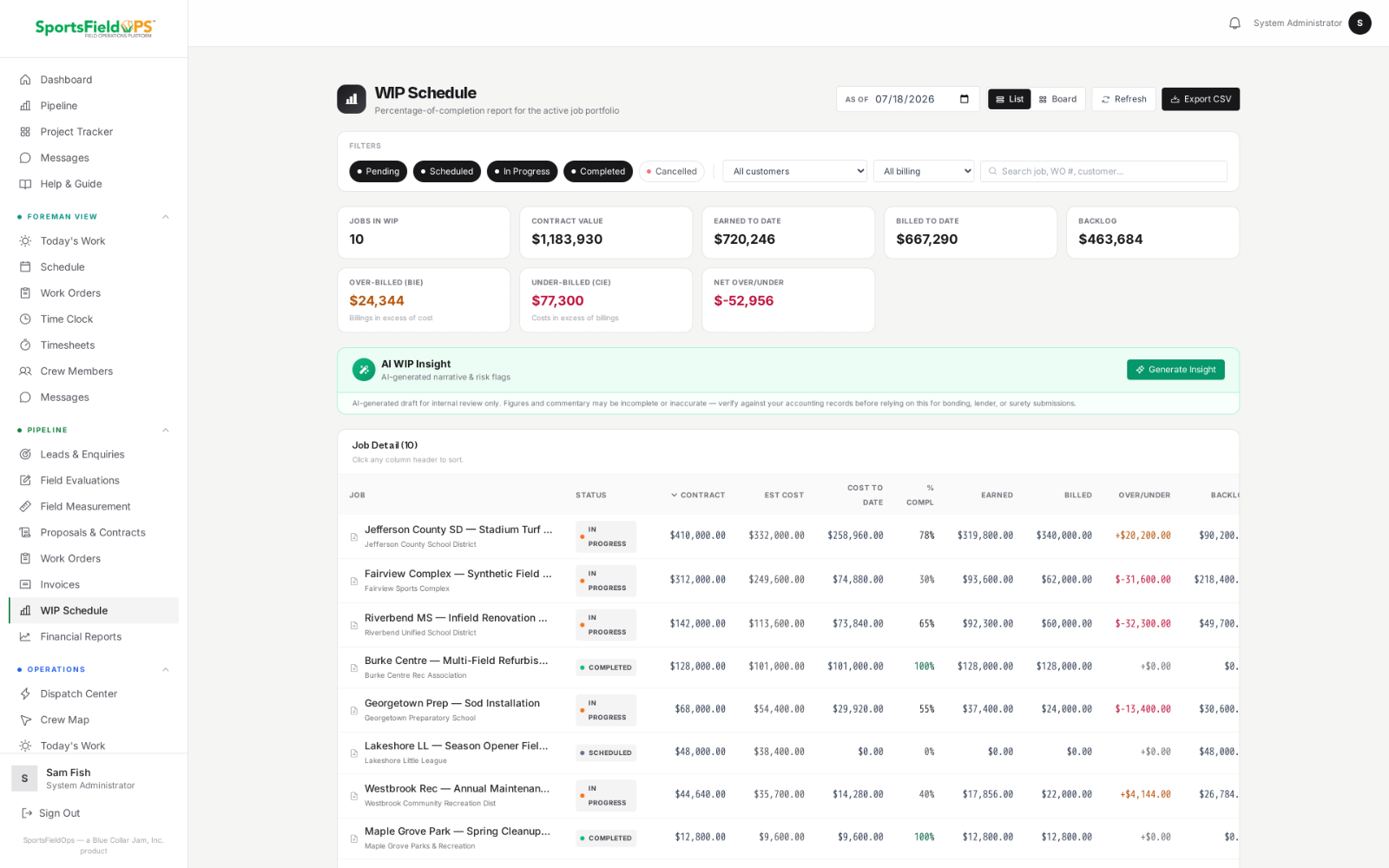
A WIP schedule your surety will actually trust.
Percentage-of-completion accounting with earned revenue, backlog, and billings-in-excess — updated as jobs progress.
- Automatic percent-complete from real costs
- Over/under-billing (BIE/CIE) at a glance
- One-click CSV export for your accountant
AI-assisted draft — review before submission. Management tool, not an audited or certified financial statement.
A helpful layer, not the whole product.
SportsFieldOps can help owners and managers spot what is stuck, what is unfinished, what needs billing, and where work is piling up, using the data that is already in your jobs, work orders, and invoices.
- Plain-English job briefs that summarize where a work order stands
- Sanity checks that flag jobs over budget or under-billed
- Margin and pipeline observations drawn from your live data
- Field-condition analysis from a drone photo, described in plain English
- Available in the AI Pack, an add-on on Professional and included with Enterprise. AI is built in and ready to use, with no separate AI subscription or key to set up.
Job: Lincoln HS synthetic turf replacement.
Status: In progress, day 4 of 7.
Completed: sub-base prep, irrigation rough-in.
Outstanding: turf install, line painting, final inspection.
Action needed: confirm change order before next progress invoice.
Sample output for illustration. Real briefs reference your live work orders.
"I built SportsFieldOps because every sports field company I worked with was running a real business out of group texts, spreadsheets, and a yellow notepad. The owners couldn't see what was happening in the field. The field crews couldn't see what was already approved. Neither side had time to fix it. So I did."
Frankie Barwell, Founder, SportsFieldOps, a product of Blue Collar Jam, Inc.
Three plans. One that fits where you are.
Aerial measurement, field lifecycle records, and crew GPS are included on every plan. Your logo on every PDF.
Sales, work orders, dispatch, equipment, aerial measurement, field lifecycle records, and crew GPS.
Everything in Essentials, plus Job Costing and Construction CFO (WIP, committed costs, change orders). AI Pack available as a 79 dollars per month add-on.
Everything in Professional, plus AI Pack, Accounting Bridge (QBO, IIF and Generic CSV, plus an Accountant's Packet PDF), Compliance and Docs. The Generic CSV imports into Xero, Sage and most other accounting systems.
Invite-only onboarding, we work with a select number of companies so every setup gets proper attention.
Full pricing details →Frequently asked questions
Is this just generic field-service software with a sports-turf paint job?+
No. SportsFieldOps was built specifically for the sports turf industry. Aerial field measurement, per-field lifecycle records, regulation dimension libraries, seasonal scheduling logic, and photo-documentation workflows were all designed around how turf companies actually work.
How do I get access?+
Onboarding is invite-only. Request an invitation and we will be in touch within one business day. Every account gets a guided demo with your own fields and pricing before you commit.
Do I need to be technical to set this up?+
No. White-glove onboarding is included, data migration, price-book setup, equipment and crew import, and crew training.
What if my crews don't have iPhones?+
SportsFieldOps is a Progressive Web App. It installs straight to the home screen on iPhone and Android. Open it in your phone browser, tap Add to Home Screen, and it launches full-screen. Native iPhone and Android apps are on the 2026 roadmap.
Can I import my existing customer list?+
Yes. CSV import for customers, equipment, and price books is supported and included in onboarding.
I'm a bonded contractor, will the WIP schedule work for my surety?+
Yes. The Construction CFO module includes the full percentage-of-completion math, all nine per-job columns, eight portfolio KPI cards, and the CSV export your surety expects. Available on Professional and Enterprise.
How do I get AI WIP Insight?+
AI WIP Insight is part of the AI Pack, which is an add-on on Professional and included with Enterprise. It reads data produced by the Construction CFO module. AI is built into the platform and ready to use, with nothing for you to configure. Output is an AI-assisted draft, so review it before submission.
Can I bring my existing proposals and contracts across?+
Yes. Upload your old proposals or contracts as PDF, Word, or a photo, and SportsFieldOps rebuilds each one as a record. AI structures the customer, scope, and pricing, your office reviews it, and the job joins your history. Prices are captured as printed and never invented. It is included in onboarding.
One organized place for the work, from first quote to final invoice.
Invite-only onboarding, guided setup, data migration, and crew training included.
Questions? Email admin@sportsfieldops.com, we read every message.