
A work order is more than a line on a calendar.
It's the scope, the crew, the equipment, the photos, the change orders, the checklist, the actual cost vs. budget, and the customer sign-off, all connected, all in one place. Open it in your phone browser and tap Add to Home Screen, and every team member has it as a full-screen app.
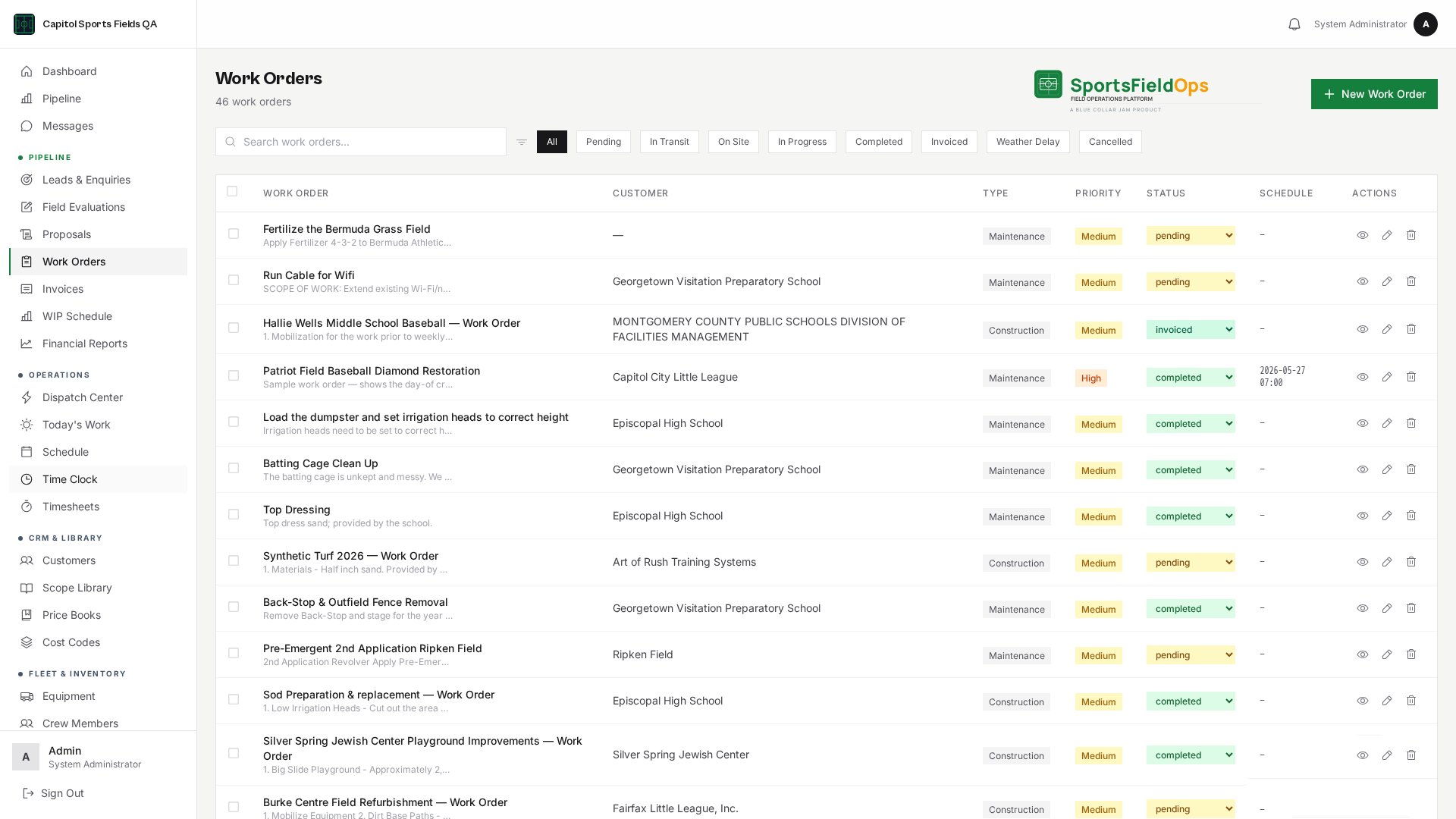
Scope of Work
Bullet-formatted scope that survives the PDF.
Day Plans
Per-day crew and equipment assignments.
Equipment Assignment
Lock the gear to the job, dispatch sees it.
Crew Assignment
Logged users or no-login crew members.
Photo Documentation
Attached to the work order from any phone.
Change Orders
Issued on the work order, updating the contract value and the WIP schedule.
Live Job P&L
Actual cost vs. budget, updated as hours and materials are logged.
Checklist & Sign-off
A customer-defined checklist plus customer signature captured on a phone.
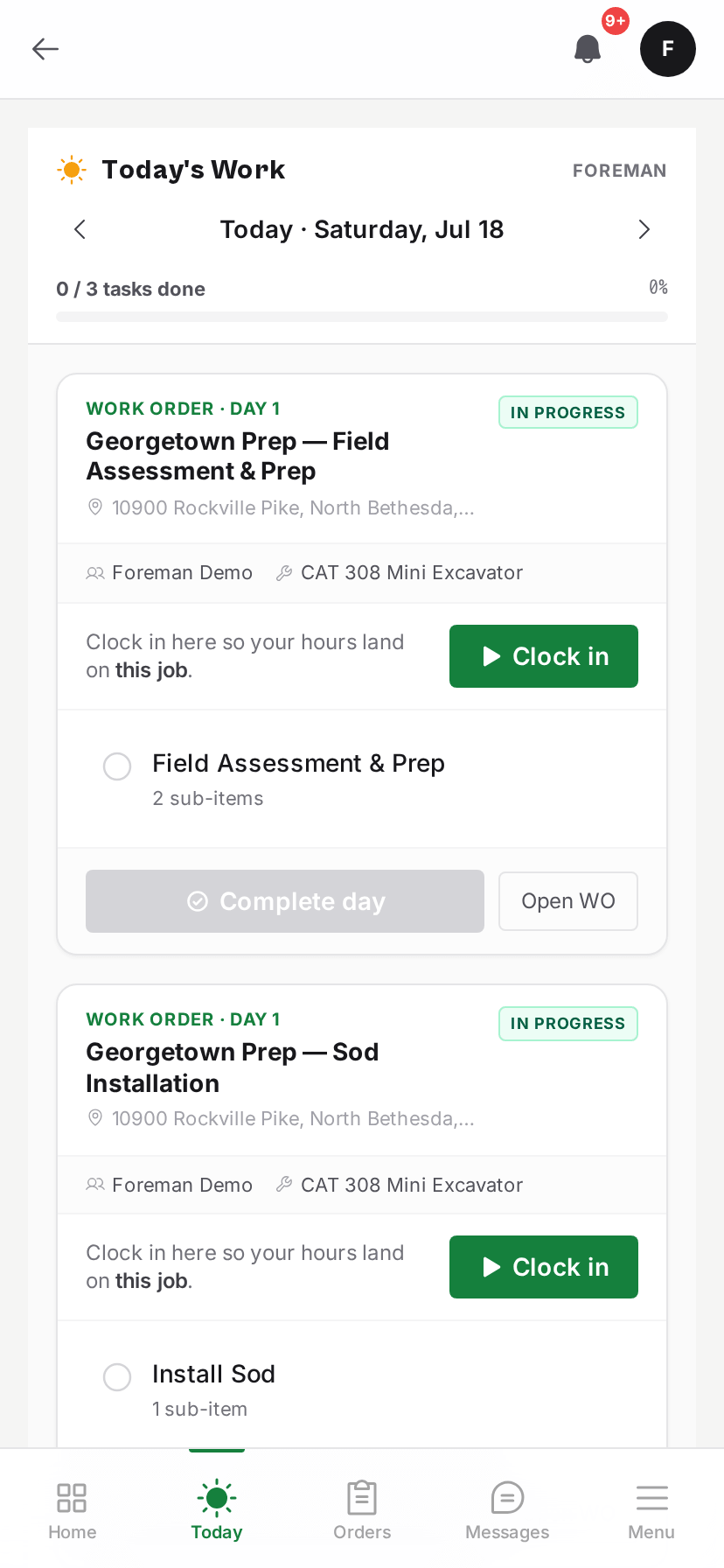
Built for the phone in the truck.
Open the work order in the phone browser, tap Add to Home Screen, and every crew member has a full-screen app. Today's assignments, scope, photos, and sign-off, all in one place.
Ready to see it on your own fields?
Invite-only onboarding. Guided setup, data migration, and crew training included.
Invite-only onboarding, we work with a select number of companies so every setup gets proper attention.