
Coordinate crews across sites, without hovering over them.
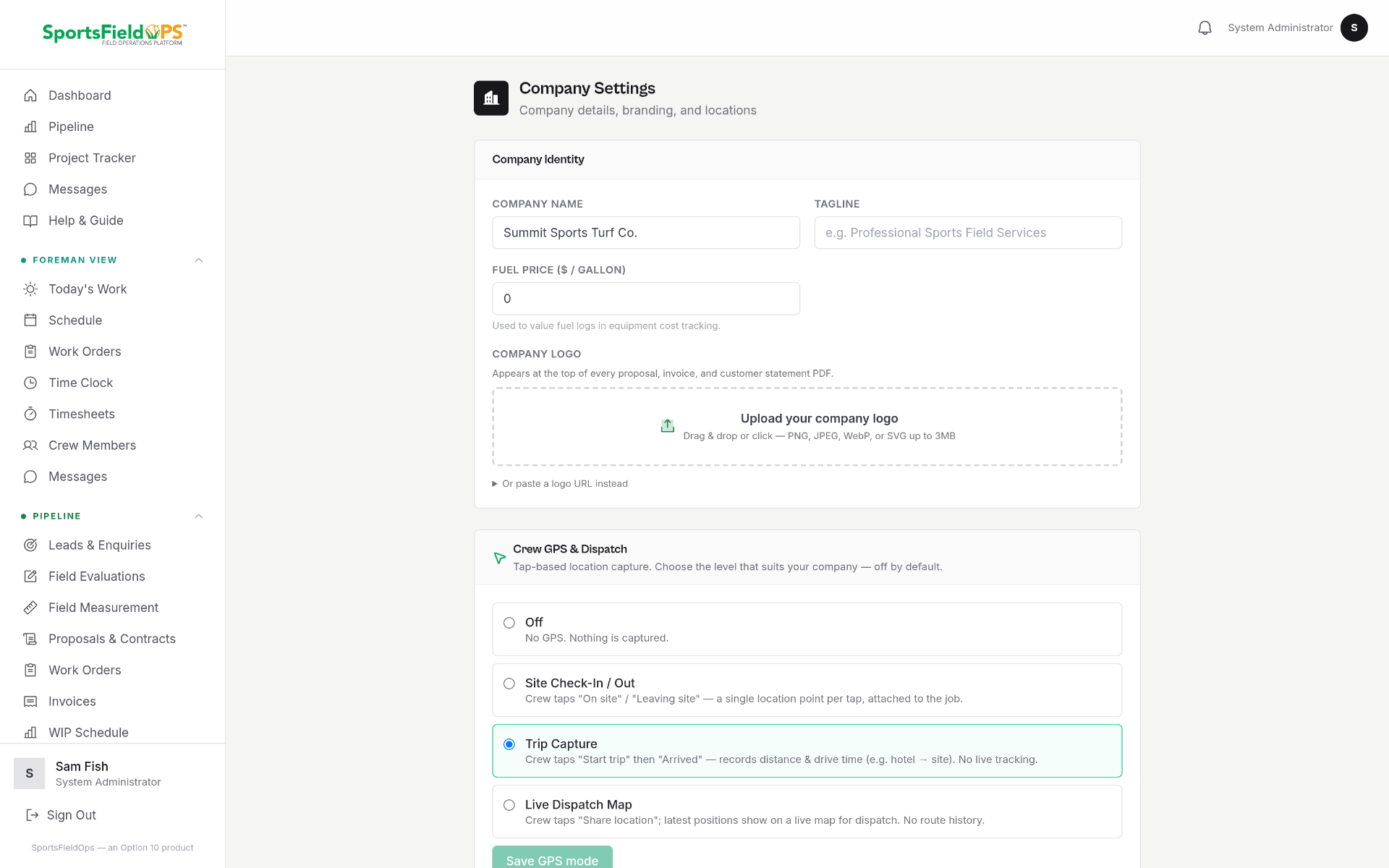
Four opt-in modes, off, site check-in, trip, or live. Each crew member chooses what they share, and dispatch sees only what the crew has agreed to. This is a coordination aid, not a surveillance tool, and every crew member controls their own setting.
Off
No location shared. The crew member appears on the roster only.
Site check-in
A single check-in when they arrive on site. Ideal for salaried project managers who visit multiple jobs.
Trip
Location shared during the working day, cleared automatically at end of shift.
Live
Continuous location during a scheduled shift. Best for time-sensitive dispatch.
Dispatch map view
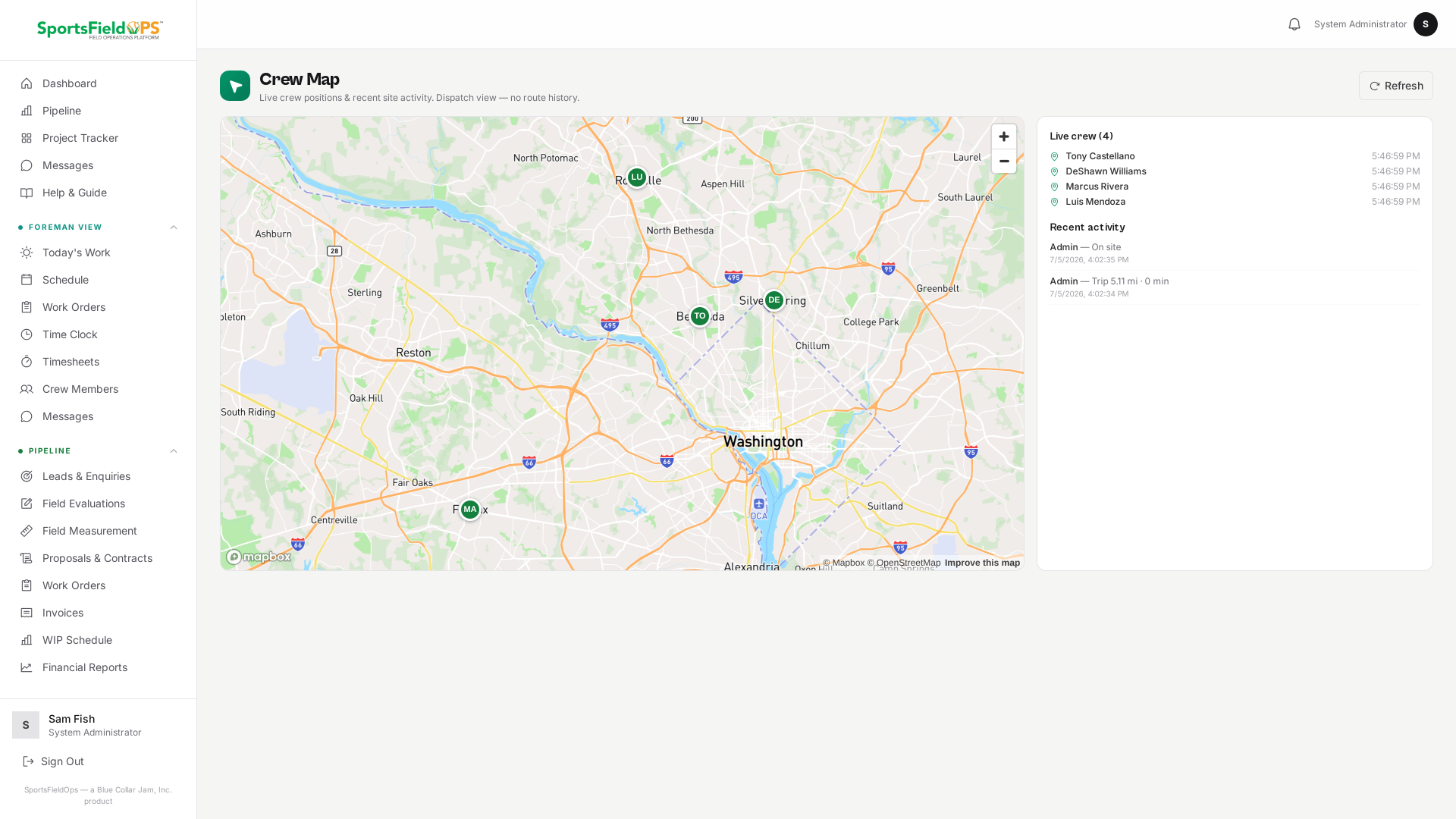
See every opted-in crew member on one map, colour-coded by job. Reassign the closest crew to a callback in seconds.
Crew-first controls
Every setting is a per-user opt-in. Ownership of your data, and your privacy, is built in.
Ready to see it on your own fields?
Invite-only onboarding. Guided setup, data migration, and crew training included.
Invite-only onboarding, we work with a select number of companies so every setup gets proper attention.